

You sent the invitations weeks ago. The due date is approaching. And your inbox is still mostly empty. You are not alone. Almost every couple hits this wall. The problem is not that your guests are rude. It is that the process you set up has small, invisible barriers that make it easy for them to delay. Here is how to remove those barriers and get wedding RSVPs more quickly without nagging or awkwardness.
The Simple Truth: RSVPs Slow Down Because of Friction, Not Disinterest

Most guests genuinely want to come to your wedding. But the act of RSVPing requires them to make a decision, find the invitation, locate the response method, and then follow through. Each step is a chance for them to get distracted. The faster you can reduce the number of decisions and clicks required, the faster the responses will come in. One quick win: if you are using an online RSVP system, send each guest a personalized link. Do not make them type a name or code. A single tap can cut response time in half.
Before You Send the Invite – Set the Stage for Speed
Most couples only think about speed after the invitations are already out. That is a mistake. You can pre-condition your guests to respond quickly long before the envelope arrives.
Use the Save-the-Date to Plant a Deadline
Your save-the-date is not just a date announcement. It is a chance to signal that your wedding requires a formal response. Include a line like: “A formal invitation with RSVP instructions will follow. Please respond by [date].” This plants the seed in their calendar. When the real invitation arrives, they already know it is coming and what is expected.
Design Your Wedding Website for One Action
Your wedding website should have one clear, visible call-to-action: RSVP. Do not bury it under multiple menu tabs. Put a large button at the top that says “RSVP Now” and another at the bottom. If your site has extra pages like “Our Story” or “Registry,” keep them separate. The goal is to make the RSVP the only logical thing to do when they land on the page.
Communicate the Deadline Early
Do not wait until the invitation to mention the response deadline. In your wedding website FAQ, include a question like: “When do I need to RSVP by?” and state the date clearly. You can also mention it in group chats or emails to family early on. The more times they see the deadline, the more likely it sticks.
The Invitation Itself – Design Choices That Trigger Immediate Responses
Your invitation is the main trigger. The design and wording can either encourage a quick reply or add friction. Here is what works.
Paper vs. Digital: Which Is Faster?
Digital invitations generally get faster responses because the guest can click a link immediately. But paper invitations have a higher emotional value. A hybrid approach works best: send a beautiful paper invitation with a prominent QR code that leads directly to the RSVP form. Position the QR code at the top of the response card or on the back of the invitation, not buried in fine print. Test your code with a few phones first.
For those also managing printed materials, a similar logic applies to determining how many wedding programs to order, ensuring you have enough without wasteful overstock.
Wording That Creates Urgency

Do not just say “Kindly RSVP by August 15.” That is polite but weak. Use language that implies a consequence without being rude. For example: “Please respond by August 15 so we can finalize seating and catering. Late responses may not be accommodated.” The word “finalize” creates a sense of process. The word “may not” adds gentle pressure. Another option: “Your response is needed by August 15. We will confirm your meal choice after we receive it.” This makes the deadline feel real.
Social Proof as a Trigger
If you are using a digital RSVP platform, you can show how many guests have already responded. A simple line like “90% of guests have already RSVPed” on the confirmation page or in a reminder email creates social pressure. People do not want to be the last one to reply. This works especially well if you have a larger guest list.
The Perfect Nudge Sequence – From Gentle to Firm Without Alienating

Even with a perfect invitation, some guests will still delay. The key is to nudge them in a way that feels helpful, not pushy. Here is a three-touch system that respects their time while getting results.
Touch One: The Gentle Reminder (7 Days Before the Deadline)
Send a casual, friendly message to all guests who have not yet RSVPed. Do not single anyone out yet. A good approach is to post on your wedding website or send a group email with a subject line like: “Just a little reminder about the RSVP deadline.” In the body, keep it light: “We are so excited to celebrate with you. Just a gentle nudge that the RSVP deadline is next Saturday. If you have already responded, thank you. If not, here is the link again: [link].” Do not mention any consequences. This is just a friendly tap on the shoulder.
Touch Two: The Direct Ask (3 Days Before the Deadline)
Now it is time to be more direct but still polite. Send a personal message to each non-responder. Use their name if possible. Say something like: “Hey [Name], we are finalizing our headcount for the wedding and still need your RSVP. Could you please let us know by Wednesday? Here is the link: [link]. Thanks so much!” This feels like a request from a friend, not a demand. Avoid using the word “urgent” – it sounds stressed.
Touch Three: The Final Call (1 Day After the Deadline)
If someone still has not responded after the deadline, you need to make the consequence clear. Send a message like: “Hi [Name], we passed our RSVP deadline yesterday. We unfortunately had to submit final numbers to the venue. If you still want to come, please respond as soon as possible and we will do our best to accommodate you, but we cannot guarantee a meal or seat.” This is not a threat. It is a reality. Most guests will scramble to reply immediately. If they do not, you have permission to move on without guilt.
When Guests Go Silent – Dealing with “Maybes” and No-Shows

Some guests will avoid RSVPing because they are unsure about their plans. They might say “I will let you know later” or “It depends on work.” This is the hardest group to handle. Here is how to push for a decision.
Set a Two-Tier Deadline
For guests who are unsure, give them two deadlines. A soft deadline for “yes” and a hard deadline for “maybe.” For example: “Please RSVP by August 15 if you are definitely coming. If you are still unsure, we need a final answer by August 30.” This creates a safe space for them to decide later while still holding them accountable. If they do not respond by the hard deadline, consider them a “no.”
Use Limited Seating as Leverage
If your venue has a strict capacity, you can use that to force a decision. Say: “We have limited seating and need to know exactly who is coming. If we do not hear from you by the deadline, we will have to assume you cannot make it.” This is not a lie. It is the truth. Guests respond quickly when they realize there is a real limit.
Handle the “I Already Told You” Crowd
Some guests will say they already told you verbally and refuse to fill out a formal RSVP. Do not let this slide. Explain politely: “I appreciate you letting me know, but I need a formal response to finalize our numbers. Could you please take two seconds to click the link? It makes a big difference for my planning.” Most people will comply if you explain why it matters.
Why Most “Reminder” Emails Fail (And How to Fix Yours)
Many couples send reminder emails that are too generic. They say “Reminder: please RSVP” with no context, no link, and no sense of urgency. That almost never works. Here is what goes wrong and how to fix it.
The Problem: No Clear Action
A reminder without a direct link forces the guest to search for the original invitation or website. That is friction. Fix it by including a one-click link in every reminder. Not a “click here” button buried at the bottom. Put it at the top, in bold, with the subject line: “Your RSVP link inside.” Make it the easiest thing to do.
The Problem: No Personal Touch
Generic group emails feel impersonal. Use the guest’s name and mention a detail about them if possible. For example: “Hey Sarah, we are finalizing the seating chart and need your RSVP. We are so excited to have you at the ceremony.” A personal touch increases response rates significantly.
The Problem: No Consequence
If there is no consequence for missing the deadline, why would anyone rush? Always state the consequence in the second or third reminder. For example: “If we do not hear from you by Friday, we cannot guarantee your meal choice.” That turns a vague request into a real decision.
The RSVP Funnel – Measuring and Optimizing Each Step
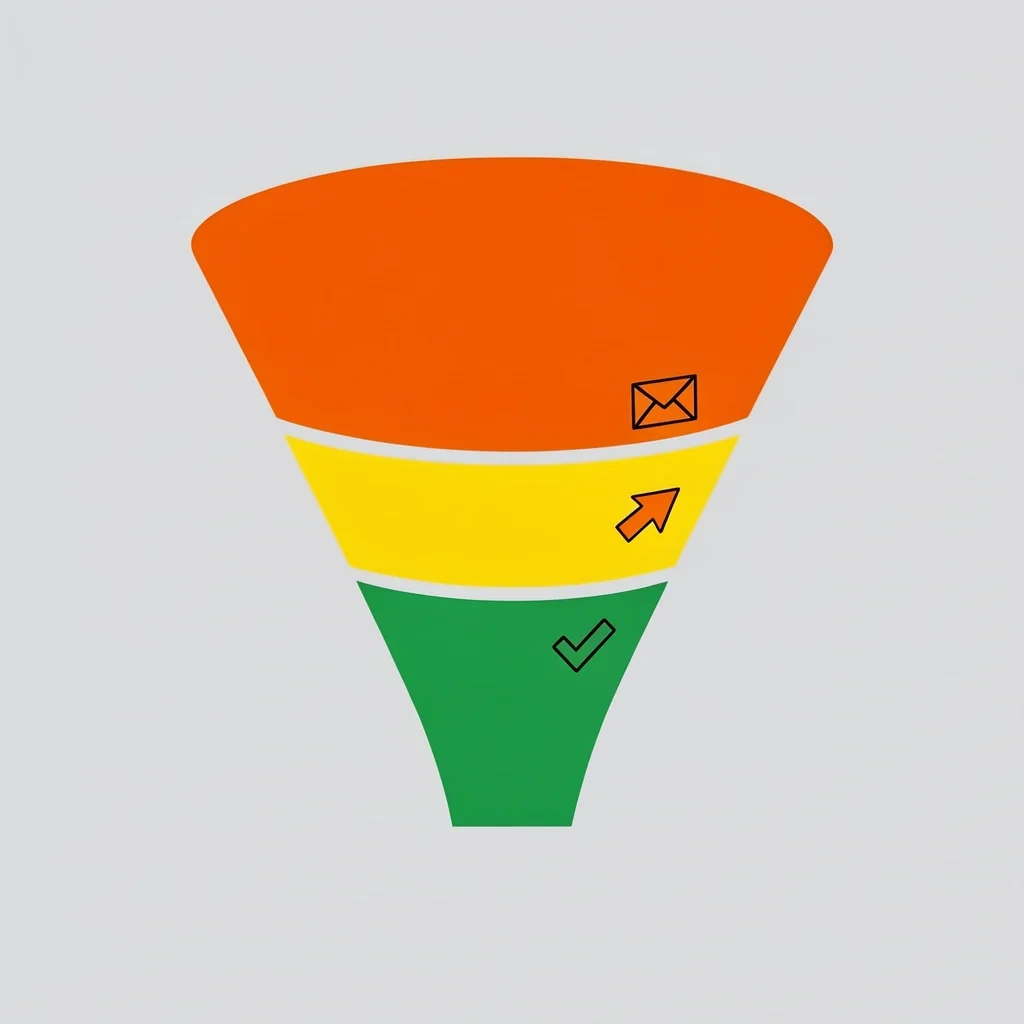
You can track the entire RSVP process from the guest’s perspective and fix weak points. Think of it as a funnel: invitation received → opened → link clicked → form started → form submitted. Each step has a drop-off rate. Here is how to measure and improve each one.
Step 1: Invitation Opened
For digital invitations, track open rates. If they are low, your subject line or preview text is weak. Test different subject lines like “You are invited to Emma and Jack’s wedding” vs. “RSVP deadline approaching for Emma and Jack’s wedding.” The second one tends to work better because it creates urgency.
Step 2: Link Clicked
If people open the invitation but do not click the RSVP link, the link placement is wrong. Move it higher. Use a button that says “RSVP Now” in a bright color. Avoid generic text like “Click here.” Make it impossible to miss.
Step 3: Form Completed
If people start the form but do not finish it, your form has too many fields. Reduce it to the essentials: name, response (yes or no), and meal choice. You can ask for plus-one details later. Every extra field reduces completion rates. Test removing all optional questions and see if responses go up.
Real Couples’ Speed Strategies

Here are three tactics from couples who successfully cut their RSVP response time by weeks. These are real examples with specific details.
Case Study 1: The Countdown Widget
One couple added a live countdown timer to their wedding website that showed the number of days left until the RSVP deadline. They placed it right below the “RSVP Now” button. When guests saw the timer shrinking, many responded the same day. The couple said their response rate doubled in the final week before the deadline.
Case Study 2: The Meal Choice Trick
Another couple explicitly asked for meal choices on the RSVP form, but they made the options limited: “chicken, fish, or vegetarian.” They then sent a follow-up email two days before the deadline saying “If you have not RSVPed yet, we cannot guarantee your favorite meal option will still be available.” This created a fear of missing out on a preferred dish. Response rate jumped by 40 percent after that email.
Case Study 3: The Social Media Blitz
A third couple with a larger guest list used their private wedding Facebook group to post a weekly update: “Only X days left to RSVP! We are at Y percent response rate. Help us hit 100 percent.” They added a photo of themselves with a playful look. The public post created social pressure because guests could see who else had not responded. It worked. They reached 90 percent response rate two weeks before the deadline.
Frequently Asked Questions
Should I use a wedding website with built-in RSVP or a separate tool like Google Forms?
A wedding website with built-in RSVP is usually better because guests can see all event details in one place. Google Forms works but looks less professional and can feel impersonal. If you use a separate tool, make sure it integrates with your website seamlessly so guests do not have to enter information twice.
How early should I send invitations if I want most RSVPs within 3 weeks?
Send invitations 8 to 10 weeks before the wedding. That gives guests a month to decide and a two-week window for you to send reminders before the deadline. If you send them too early, guests will set them aside and forget. If too late, they will feel rushed and may not respond at all.
Is it okay to call guests who haven’t responded by the deadline? How do I phrase it?
Yes, calling is acceptable, but do it after the deadline. Phrase it like: “Hi [Name], I am finalizing the seating and need your RSVP. Can you let me know now or by text? No pressure if you cannot make it.” Keep it friendly and short. Do not guilt trip them. Most people appreciate the directness.
Can I set a rolling deadline for different groups (family vs. friends) to speed things up?
Yes, this works well. Give immediate family a deadline two weeks earlier than friends. This lets you finalize the core headcount first and then handle the rest. Just be clear about the different deadlines so nobody feels confused or left out. Send separate reminders for each group.
What do I do if a guest says “I already told you I’m coming” and refuses to submit a formal RSVP?
Explain calmly that you need a formal record for the venue. Say: “I know you told me, but I need a written confirmation for my records. It takes two seconds. Please just click the link.” If they still refuse, consider them a “yes” but do not hold them accountable if they cancel later without notice.
How do I handle plus-ones when the guest hasn’t confirmed their guest’s name yet?
Set a deadline for the name. Say: “Please RSVP with your guest’s name by the deadline. If we do not have a name, we will assume you are coming alone.” Most guests will scramble to provide the name. If they do not, you have permission to seat them solo.