

If you are planning a wedding, you have likely considered online wedding invitations. They are fast, easy to track, and often cheaper than printed paper. But not every platform works the same way. Some charge you for things you expect for free. Others lock key features behind confusing pricing. This guide walks you through what to look for, which services actually deliver, and how to avoid surprises.
The Advantages and Trade-Offs of Digital Invitations

Digital invitations save you time and money. You skip postage, printing delays, and the risk of lost mail. Guests can RSVP in a single click, and you see responses update in real time. Plus, you reduce paper waste, which matters to many couples.
But there are real trade-offs. Some older guests may struggle with email links or online forms. You also lose the physical keepsake that some families value. And not every design fits a formal wedding. If your event is black-tie, a simple template may feel too casual. For most weddings, a well-designed digital invite works fine. For very formal affairs, consider a printed invitation as a backup or upgrade.
What to Look for Before You Choose a Platform
Not all platforms are built the same. Focus on these features to narrow your options.
Design flexibility. Can you upload your own artwork? Do they offer templates that match your wedding style? Some platforms let you customize everything, while others limit you to their library.
RSVP management. You need more than a simple yes or no. Look for tools that let guests choose meal options, specify dietary restrictions, and indicate if they bring a plus-one. The best platforms let you tag guests and group them (family, friends, work) for easier tracking.
For those who want to get wedding RSVPs more quickly, these proven tactics can make a big difference.
Wedding website integration. Many couples build a wedding website for registry, schedule, and travel info. If your invitation can link directly to that site, it makes the guest experience smoother.
Delivery method. Do you send directly via email? Or does the platform generate a shareable link? Some platforms let you do both. Email is better for tracking opens, while a link works for posting on a wedding app or social media.
Major Platforms Compared – Beyond the Marketing

Here is a straightforward comparison of the most popular options. I have used several of these and heard from readers who have encountered the same gotchas.
| Platform | Pricing Model | Design Library | RSVP Capabilities | Common Gotcha |
|---|---|---|---|---|
| Paperless Post | Coins for premium features; Pro subscription | Extensive; designer collaborations | Advanced: guest tagging, meal choices, surveys | Premium stamps and backdrops cost extra coins. Free designs feel sparse. |
| Canva | Free with limited exports; Pro subscription | Huge template library; full customization | Manual via linked forms; no built-in RSVP | High-resolution exports locked behind Pro. No native RSVP tool. |
| Zola | Free with optional paid upgrades | Good; wedding-focused | Built-in; syncs with wedding website | Some designs feel generic. Limited international support. |
| Minted | Per-invitation cost (printed); free digital with purchase | High-end; designer-created | Basic RSVP tracking | Bundled with printed paper. Digital-only option is new and limited. |
| WithJoy | Free (ad-supported) | Decent; modern styles | Full: meal choices, plus-ones, guest list tagging | Ads on free plan. Limited design customization. |
| Greenvelope | Per-invitation fee | Premium; eco-focused | Basic tracking; no advanced surveys | Cost adds up quickly for large guest lists. No free tier. |
| Evite / Punchbowl | Free with ads; paid upgrade removes branding | Casual; party-focused | Basic yes/no | Branded ads on free versions. Not ideal for formal weddings. |
The Real Cost of “Free” – Pricing Models and Hidden Fees
Free sounds great until you realize what you give up. Let me break down the actual math.
If you have 150 guests, here is what you can expect to pay on major platforms.
Paperless Post: You buy coins. Each premium feature (like guest tags or a custom URL) costs coins. A typical wedding with moderate customization might use 200 to 400 coins. At about $1.44 per 200 coins, that is $1.44 to $2.88. But if you want premium stamps or backdrops, you spend more. The Pro subscription runs about $10 per month and unlocks everything. That is cheaper for a user running multiple events.
Canva: Free gives you basic templates and standard resolution. Pro costs about $13 per month. You need Pro to remove the background from photos or export in high resolution. If you already use Canva for other design work, it is a great deal. If you only use it for invites, the cost may still be worth it for the design control.
Zola: Free for basic invites and RSVP. You pay for upgraded designs or to include a physical card. Most couples stick with the free version and are happy. The hidden cost here is time: you may need to manually integrate with your guest list if you use a separate website.
Greenvelope: Charges per invitation, around $0.80 to $1.50 each, depending on design. For 150 guests, that is $120 to $225. That is more than many expect for a digital solution.
The big lesson: read the fine print on what each coin, subscription, or per-invite fee actually covers. A free trial does not help if you need premium features late in the process.
Design and Technical Limitations You Might Not Expect
I have seen couples get stuck because they did not expect these issues.
Watermarks on free tiers. Some platforms put a small logo or watermark on your invitation unless you pay. That can cheapen your design. Always check the export preview carefully.
File-export quality. Free versions often limit you to 72 DPI or small file sizes. If you want a high-resolution image for printing or sharing, you need to upgrade.
Mobile responsiveness. Many invitations look great on a desktop but break on a phone. Check your design on a mobile device before sending. Most platforms now test this, but it varies.
Email deliverability. Some email clients (especially corporate ones) block external images or treat mass emails as spam. If you send via the platform’s email system, ask a few friends to confirm they received it.
Guest list sync. Not every platform syncs with your spreadsheet or wedding website. You may end up manually entering data twice. That is tedious and error-prone.
How to Create and Send an Online Invitation (Step by Step)
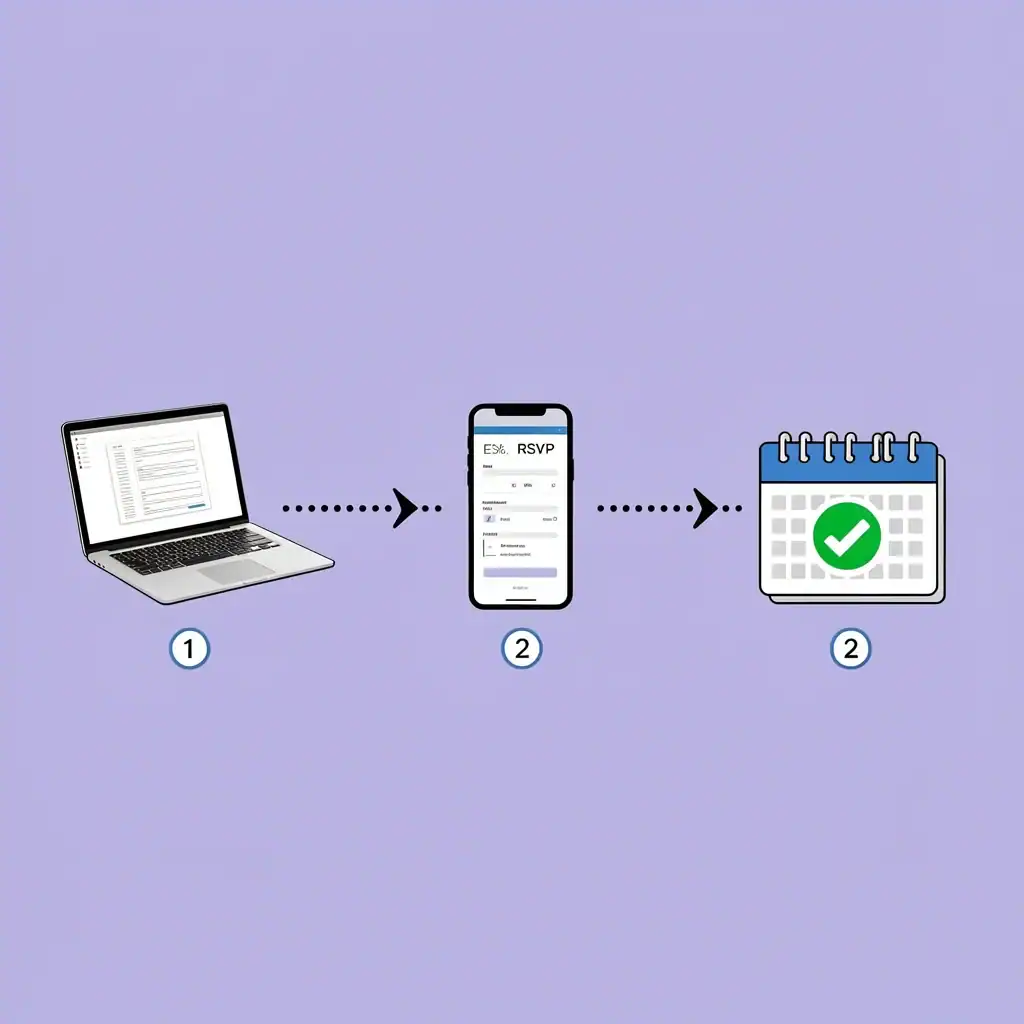
Here is a straightforward workflow that works for any platform.
1. Choose your design. Pick a template that matches your wedding style. If you have custom artwork, upload it. Most platforms let you adjust colors and fonts.
2. Personalize every detail. Add your names, date, time, location, and wedding website URL. Include a clear call to action for RSVP.
3. Set up your guest list. Import names and email addresses from a spreadsheet. Tag each guest (family, friends, plus-one) if your platform supports it. This helps you track responses later.
4. Add RSVP fields. Decide what you need: yes/no, meal choices, dietary restrictions, song requests. Keep it simple. Long forms reduce response rates.
5. Review and test. Send a test copy to yourself and your partner. Check how it looks on desktop, tablet, and phone. Verify all links work.
6. Send your invitation. Schedule it to go out 8 to 12 weeks before the wedding. Send a separate save-the-date earlier (6 to 8 months before).
7. Track responses. Most platforms show you who opened, who clicked, and who RSVPed. Send gentle reminders to guests who have not replied, usually two weeks before the deadline.
Frequently Asked Questions
Can I send online save-the-dates separately?
Yes. Most platforms let you create a separate event or use the same design with different text. Send save-the-dates 6 to 8 months before the wedding, then follow up with the official invitation.
How do I handle RSVP for multiple events (rehearsal dinner, ceremony, reception)?
Use a platform that supports multiple events within one invitation. Paperless Post, Zola, and WithJoy allow you to ask guests which events they attend. Avoid creating separate invites for each event – that confuses guests.
What if an elderly guest cannot open a digital link?
Offer a printed paper version as a backup. Mail it to them or hand-deliver it. Also provide a phone number they can call to RSVP. This is a kind gesture and avoids frustration.
How do I import a guest list from a spreadsheet?
Most platforms accept CSV or Excel files. Check the import format before you start. Common fields: first name, last name, email, plus-one status, group tag. Clean your spreadsheet first to remove duplicates or bad email addresses.
Are there any country-specific restrictions or recommended platforms?
For Canada, Zola and WithJoy work well, but check that your guests receive emails reliably. For the UK and Australia, Paperless Post and Canva are popular. For Indian weddings, WithJoy and Zola offer templates for multi-day events and large guest lists. Always confirm that your platform supports the date format and timezone you need.
My рartner and I stumbled over here by a different
website and thought I might as well check things
out. I like what I see so i am јսst following you. Look forward to going over your web page
yet again.
Thank you for visiting and for your kind reply! We hope you find the content helpful and that you share it with a friend!
Thank you so much! We really appreciate this feedback!
[url=https://www.etsy.com/shop/Fayniykit/]Party Decorations, Flower Stickers PNG, Instant Download, Flowers Clipart, Floral Clipart, Party Decorations, Instant Download SVG and PNG File, Flowers SVG file, Colorful Flowers cut file, Flower motifs svg, Floral cut file, Flowers clip art[/url]
Thanks!
Excellent site. Plenty of useful info here. I am sending it to a few buddies aans
also sharing in delicious. And of course, thank you for your effort!
Thank you so much for the wonderful feedback!
interesting news
Thanks! What part did you find interesting?
[url=https://www.etsy.com/shop/Zfrscustoms]Zippo Lighter. You won’t find better engraving – it’s of “God Level” craftsmanship! The perfect gift for a GROOMSMEN![/url]
Thank you!
Thanks for the amazing post
Thanks for the kinds words!
I don’t think the title of your article matches the content lol. Just kidding, mainly because I had some doubts after reading the article.
Thanks for the helpful feedback!
Exploring this site captures the joyous energy of the Festival of Nations, where cultures converge in celebration. The colorful visuals and rich content invite exploration of various traditions, much like the vibrant expressions found in the rich tapestry of the festival community.
I’d love for you to come by and see what I’ve created buy university diploma online
Farewell for now, and may your spirit soar to new heights
Thanks so much!
Informative and clear.
thank you!